
Execution and hardware
The Execution and hardware section allows users to configure how inference is executed and to monitor its progress. It covers hardware selection and execution supervision tools.

Device selection
The Device block allows users to select the hardware used to run inference.
- CPU: inference is executed on the processor
- CUDA: inference is executed on a CUDA-compatible GPU
When CUDA mode is selected, the user can specify the GPU identifier to use. By default, device 0 is selected.
Although inference can run on CPU, using a CUDA-compatible GPU is strongly recommended for optimal performance. A GPU with at least 6 GB of memory is recommended for most use cases.
Running and monitoring inference
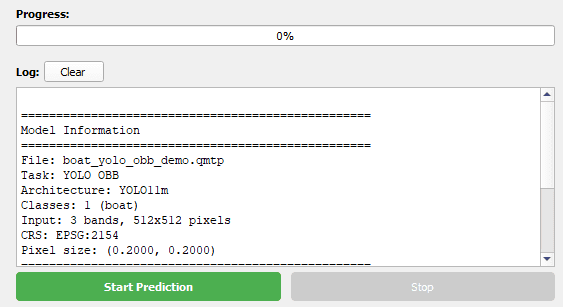
Once the configuration is complete, inference is started using the Start prediction button. The Stop prediction button allows the process to be interrupted at any time.
- Display of a global progress bar
- Log console showing model information and execution status
- Loaded model information
- Inference progress
- Final execution result: success or failure
- Potential error messages