
Data Augmentation
The Data Augmentation section allows you to configure the transformations applied to images during training to improve model robustness. Some options are restricted depending on the task or model type (e.g., YOLO).
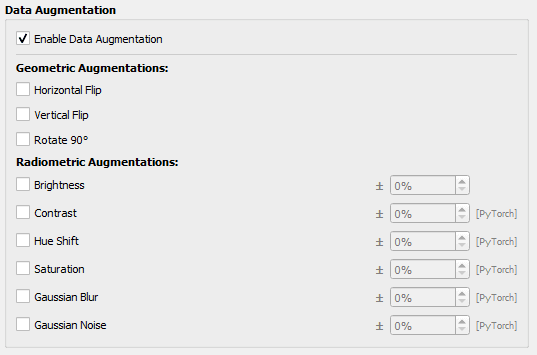
Geometric Augmentations
- These transformations modify the image geometry: rotation, flipping, etc.
- Available options:
- - Horizontal flip
- - Vertical flip
- - Rotate 90°
For YOLO models, all geometric augmentations can be selected.
Radiometric Augmentations
- These transformations modify the image radiometric characteristics.
- Available options:
- - Brightness: adjust image brightness (± x%)
- - Contrast: adjust image contrast (± x%)
- - Hue shift: shift image hue (± x%)
- - Saturation: adjust saturation (± x%)
- - Gaussian blur: apply Gaussian blur (± x%)
- - Gaussian noise: apply Gaussian noise (± x%)
For YOLO models, only Brightness augmentation is available.